Stick Nodes Pro - Animator
- Entertainment
- 4.1.7
- 70.5 MB
- by ForTheLoss Games
- Android Android 5.0+
- Dec 15,2024
- Package Name: org.fortheloss.sticknodespro
Embark on an enthralling journey of digital creativity with Stick Nodes Pro APK, a standout among mobile entertainment apps designed for burgeoning animators. Offered by ForTheLoss Games on Google Play, this application elevates Android devices into powerful animation studios. Stick Nodes Pro distinguishes itself not only as a mere app but as a comprehensive tool that transforms storytelling through its intuitive controls and robust features. It invites users into a realm where their animations leap from mere ideas to captivating visual narratives.
Reasons Why Users Love Stick Nodes Pro
The allure of Stick Nodes Pro extends beyond its capabilities as an animation tool; it is cherished for its user-centric features. Foremost among these is the absence of No Startup Ads, ensuring a seamless creative flow from the moment the app is launched. Additionally, Watermark-Free Exports permit creators to showcase their work with a professional touch, devoid of intrusive branding. This focus on an unobstructed user experience elevates Stick Nodes Pro above other apps in the digital animation sphere.
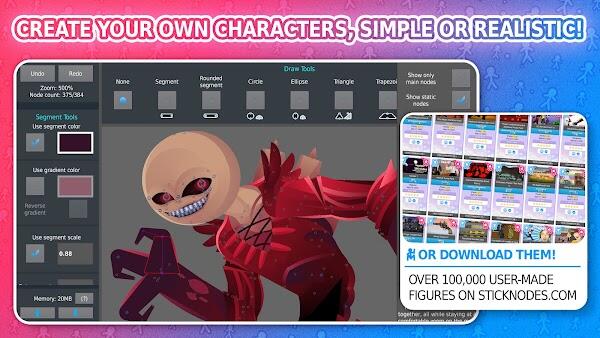
Further enhancing its appeal are the advanced output options and customization features. Animators can enrich their projects with vibrant Sound Effects and export their final products in high-quality MP4 Export format, ideal for sharing and broadcasting. The inclusion of Stickfigure Filters adds a layer of polish and creativity, allowing users to apply various visual effects that transform the aesthetics of their animations. These thoughtful features collectively forge a robust platform that resonates deeply with its community.
How Stick Nodes Pro APK Works
Stick Nodes Pro simplifies the animation process through a structured and intuitive workflow, making it accessible for both novices and experienced animators. Here’s how this robust app functions:
- Create a New Project: Start your animation journey by initiating a new project within the app, setting the stage for your creative exploration.
- Add Stickfigures: Incorporate various stickfigures from the extensive library provided by Stick Nodes Pro or import your own designs to personalize your animation.
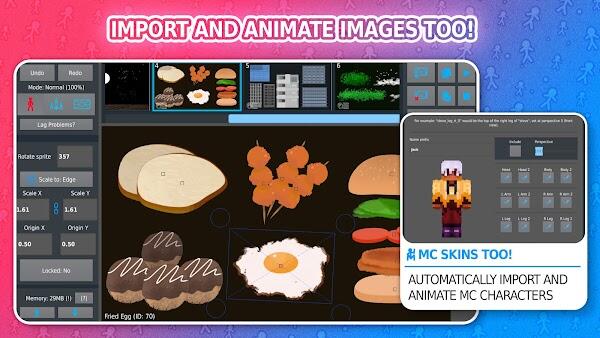
- Animate Frames: Progress your narrative by adding and adjusting frames. This key feature allows for the meticulous crafting of each scene, ensuring smooth transitions and dynamic action sequences.
- Add Effects and Sounds: Enhance the visual appeal and auditory experience of your animation by integrating effects and sounds. This layer of detail adds depth and richness to the final product.
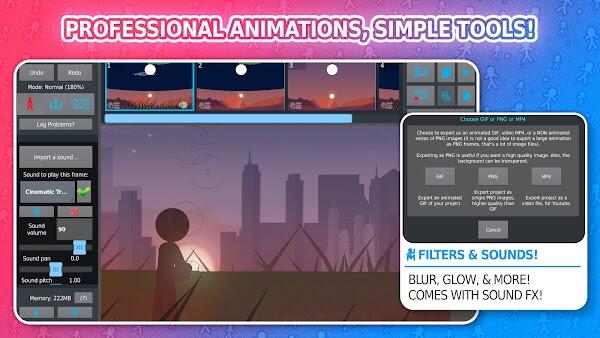
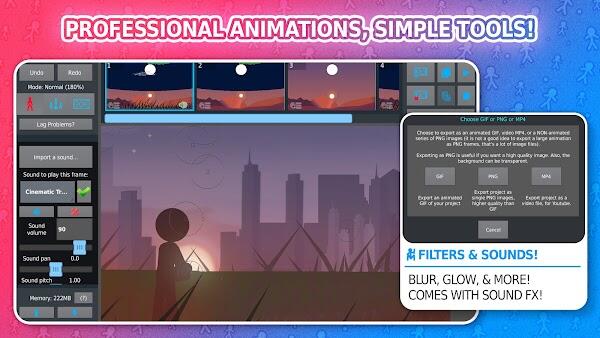
- Export: Once your masterpiece is complete, utilize the export function to share your animation. Choose from different formats, ensuring your work is ready for various platforms and audiences.
Through these steps, Stick Nodes Pro offers a comprehensive toolkit that empowers users to bring their imaginative stories to life.
Features of Stick Nodes Pro APK
Stick Nodes Pro is packed with a suite of features that cater to both amateur and seasoned animators. These tools are designed to refine the animation process and enhance the final product, distinguishing this app as a leading choice in mobile animation platforms.
- Stickfigure Animation: At the heart of Stick Nodes Pro is its stickfigure animation capability, allowing users to create fluid and dynamic movements with ease.
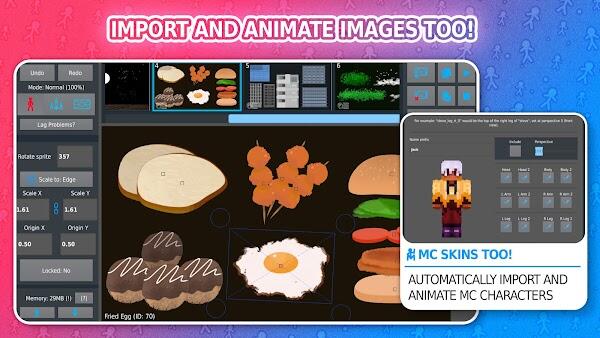
- Image Import: Incorporate external images into your projects, enhancing the visual diversity and context of your animations.
- Frame-Tweening: This feature automatically interpolates frames, smoothing transitions and giving animations a more polished look.
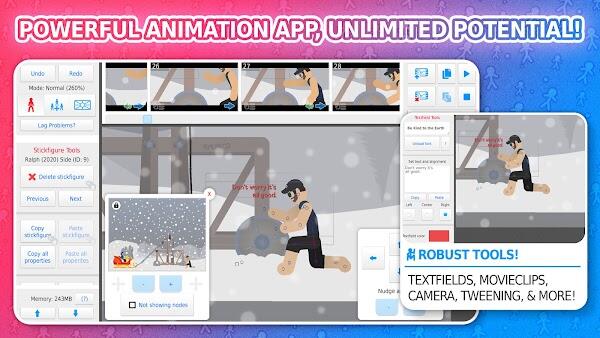
- Camera Controls: Simulate a professional filming experience with adjustable camera settings that include panning, zooming, and rotating, offering a cinematic touch to your animations.
- Movieclips: Create and reuse animated segments within your projects, saving time and increasing efficiency in your animation process.
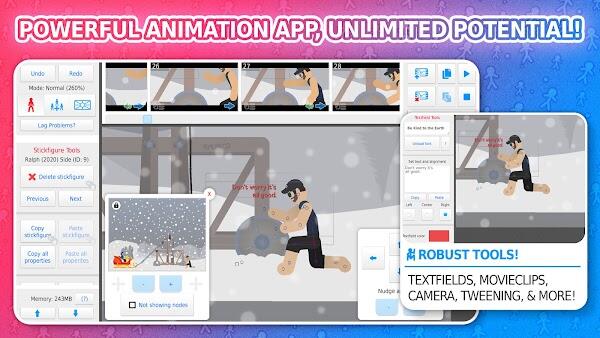
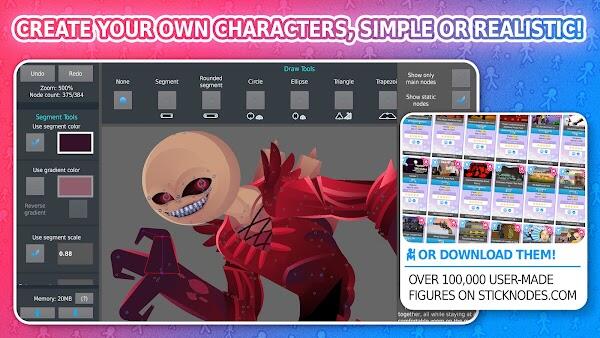
- Shape Customization: Modify shapes, colors, and gradients for each segment, allowing for a high degree of customization and uniqueness in character and scene design.
- Textfields: Add textual elements and speech bubbles to convey dialogue or descriptions, enhancing the narrative quality of your animations.
- Sound Effects: Integrate various sound effects to bring auditory life to your animations, from subtle background noises to dramatic soundscapes.
- Filters: Apply different visual filters such as blur, glow, and transparency to stickfigures, adding depth and artistic flair to each frame.
- Community: Engage with a vibrant community of fellow animators, access a plethora of downloadable stickfigures, and share your creations to receive feedback and inspiration.
Through these features, Stick Nodes Pro not only simplifies the creation of complex animations but also enriches the user’s creative expression, making it a cherished tool among digital animators.
Tips to Maximize Stick Nodes Pro 2024 Usage
To fully leverage the capabilities of Stick Nodes Pro and elevate your animation projects, consider these expert tips designed to enhance your proficiency and creativity within this versatile app.
- Master Frame-Tweening: Invest time in understanding and utilizing the frame-tweening function. This tool is crucial for creating smooth, natural-looking transitions between frames, which can significantly boost the quality of your animations.
- Experiment with Filters: Don't shy away from exploring the various filters available in Stick Nodes Pro. Applying different filters can dramatically alter the mood and visual style of your scenes, helping your work stand out in a crowded field of animators.
- Join the Community: Take advantage of the vibrant and supportive community surrounding Stick Nodes Pro. Engaging with other users can provide you with valuable feedback, inspiration, and new techniques, as well as opportunities to collaborate on larger projects.
- Use Layers: Organize your animation elements efficiently by making full use of layers. This practice not only keeps your workspace tidy but also allows for more complex compositions and easier adjustments during the animation process.
- Practice, Practice, Practice: Like any art, proficiency in animation comes with consistent practice. Spend time daily or weekly crafting animations, experimenting with different styles and techniques. The more you use Stick Nodes Pro, the more intuitive and rewarding your animation experience will become.
By incorporating these strategies into your regular use of Stick Nodes Pro, you can enhance your skills, produce captivating animations, and fully utilize the potential of this powerful tool.
Conclusion
Immerse yourself in the captivating world of animation with Stick Nodes Pro, the ultimate tool for aspiring animators. This app transforms your download into a gateway for boundless creative expression on your Android device. With its rich features and supportive community, Stick Nodes Pro APK stands as a beacon for those eager to bring their animated visions to life. Whether you're a novice or a seasoned animator, this app promises to elevate your storytelling to new heights.












-
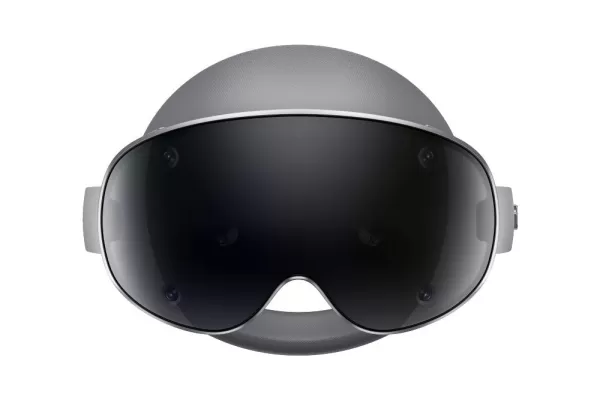 Samsung Galaxy XR Headset Is Now Available
Ready to treat yourself to some cutting-edge technology? Samsung’s Galaxy XR headset, a direct rival to Apple’s Vision Pro, is now available for purchase directly from Samsung’s official website (check it out here). Priced at a premium $1,799.99, thi
Oct 18,2026 -
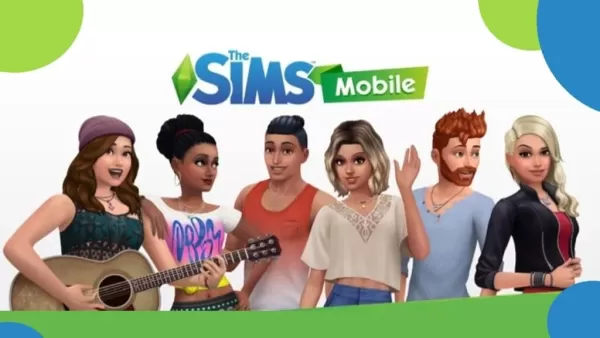 The Sims Mobile to Shut Down After Final Event
After seven years on mobile devices, filled with home construction, Sims creation, and virtual life simulation, The Sims Mobile is coming to a close. EA has confirmed the game's servers will be taken offline on January 20, 2026, concluding its journe
Oct 18,2026 - ◇ One paid on channel to provide content Crossword Clue - Try Hard Guides Oct 09,2026
- ◇ Top 13 Scariest Junji Ito Horror Stories Oct 07,2026
- ◇ Abyss of Dungeons unleashes the new Bard class on the unsuspecting ears of adventurers Oct 07,2026
- ◇ Top Strategies for Success in Steal A Brainrot on Roblox Oct 06,2026
- ◇ Play Together Embraces Life4Cuts Photo Booth Collaboration Oct 06,2026
- ◇ The Asus Prime Geforce RTX 5080 Graphics Card Is Available at MSRP from Amazon Oct 04,2026
- ◇ PUBG Joins InZOI With AI-Powered Co-Op Characters Oct 04,2026
- ◇ Dunk City Dynasty to introduce suite of new content for season four, including Dennis Rodman Oct 03,2026
- ◇ Mongil: Star Dive opens pre-registration with special perks to be given away at launch Oct 03,2026
- ◇ Chainsaw Man Announces First Official Game, That Too for Mobile! Sep 30,2026

- 1 Roblox Game Codes Updated: April 2025 May 13,2025
- 2 The Best Gaming PC of 2025: Top Prebuilt Desktops Mar 26,2025
- 3 Roblox Forsaken Characters Tier List [UPDATED] (2025) Apr 03,2025
- 4 Idle Heroes Team Compositions – January 2025 Mar 16,2025
- 5 Pokémon GO Fest 2025: Fest Dates, Locations, Details Revealed Feb 13,2025
- 6 Roblox: Warrior Cats: Ultimate Edition Codes (January 2025) Feb 12,2025
- 7 Fortnite: Chapter 6 Season 1 NPC Locations Feb 13,2025
- 8 Tips to Conquer the Dragon Quest III: HD-2D Remake Feb 21,2025



-
Unique Wallpaper Apps for Every Style
A total of 10
-
Top Beauty Trends for This Season
A total of 10
-
Top Free Shooting Games on Google Play
A total of 10