
Kingdom Come Deliverance 2: Mastering Photo Mode
Kingdom Come: Deliverance 2 boasts stunning visuals, especially in fidelity mode. But sometimes, you just want to pause the action and capture the breathtaking scenery. Luckily, Kingdom Come: Deliverance 2 includes a built-in photo mode at launch. Here's how to use it:
Activating Photo Mode in Kingdom Come: Deliverance 2
Unlike some games that add photo mode later (or not at all!), Kingdom Come: Deliverance 2 offers this feature from the start. Activation is simple:
- PC: Press F1 on your keyboard, or press both L3 and R3 simultaneously on a gamepad.
- Xbox Series X|S / PlayStation 5: Press both L3 and R3 simultaneously on your gamepad. (L3 and R3 refer to pressing both joysticks inward.)
Once activated, time will pause, and you'll be in photo mode!
Using Photo Mode in Kingdom Come: Deliverance 2
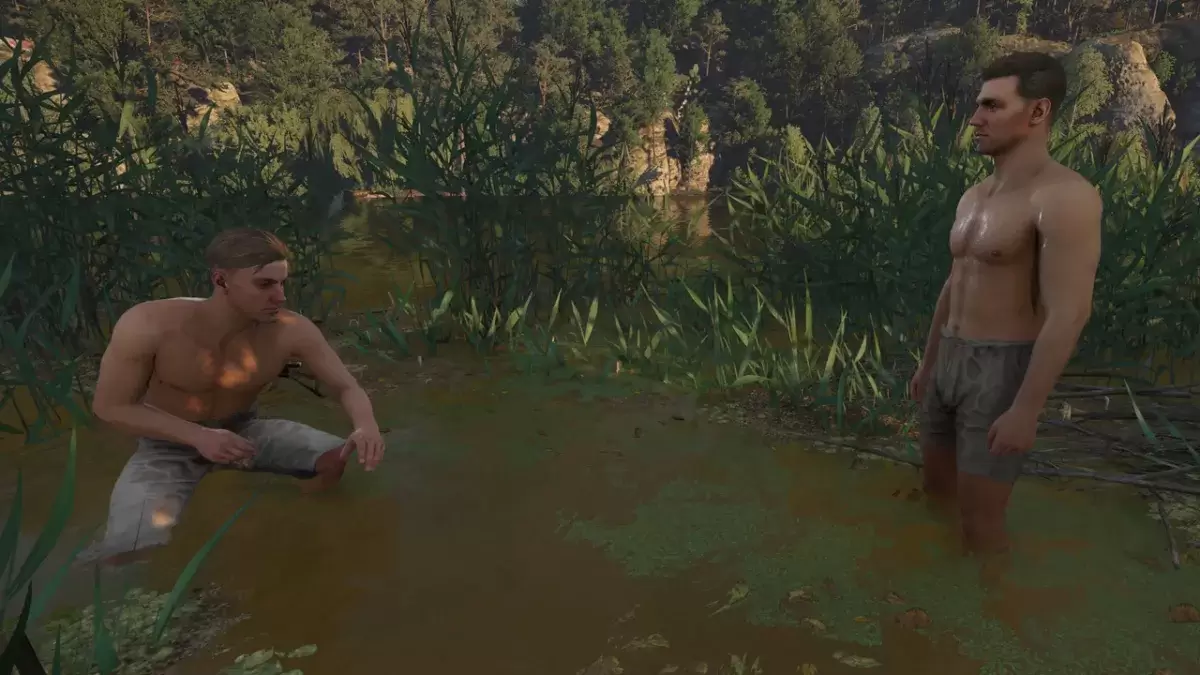
Photo mode allows camera movement around Henry, including the ability to fly up, down, zoom in, and zoom out for the perfect shot. Here's a breakdown of the controls:
Xbox Series X|S:
- Rotate camera: Left Stick
- Move camera horizontally: Right Stick
- Move camera up: Left Trigger/LT
- Move camera down: Right Trigger/RT
- Hide Interface: X
- Exit photo mode: B
- Take picture: Press Xbox button, then Y
PlayStation 5:
- Rotate camera: Left Stick
- Move camera horizontally: Right Stick
- Move camera up: Left Trigger/LT
- Move camera down: Right Trigger/RT
- Hide interface: Square
- Exit photo mode: Circle
- Take picture: Press the Share button and select "Take Screenshot" (or hold down Share).
PC (Keyboard and Mouse):
- Move camera: Use your mouse
- Slow move: Caps Lock
- Hide interface: X
- Exit photo mode: Esc
- Take picture: E
On PC, screenshots are saved to your Pictures folder. On consoles, they're saved to your console's capture gallery.
Limitations of Kingdom Come: Deliverance 2's Photo Mode
While functional, Kingdom Come: Deliverance 2's photo mode is currently quite basic. You can capture images from various positions around Henry (within a certain range), but advanced features like character posing, color adjustments, time-of-day changes, or adding other characters are absent. Hopefully, Warhorse Studios will expand these options in future updates.
Related: Best Kingdom Come: Deliverance 2 Mods












- 1 Roblox Game Codes Updated: April 2025 May 13,2025
- 2 The Best Gaming PC of 2025: Top Prebuilt Desktops Mar 26,2025
- 3 Idle Heroes Team Compositions – January 2025 Mar 16,2025
- 4 Roblox Forsaken Characters Tier List [UPDATED] (2025) Apr 03,2025
- 5 Fortnite: Chapter 6 Season 1 NPC Locations Feb 13,2025
- 6 Roblox: Warrior Cats: Ultimate Edition Codes (January 2025) Feb 12,2025
- 7 Tips to Conquer the Dragon Quest III: HD-2D Remake Feb 21,2025
- 8 Pokémon GO Fest 2025: Fest Dates, Locations, Details Revealed Feb 13,2025





-
Unique Wallpaper Apps for Every Style
A total of 10
-
Top Beauty Trends for This Season
A total of 10
-
Ultimate Baseball Games for Android
A total of 10











