
Hyper Light Breaker: Discover Seamless Co-op Gameplay
Hyper Light Breaker Multiplayer Guide: Friends and Randoms
Hyper Light Breaker, the 3D rogue-lite successor to Hyper Light Drifter, introduces a significant new element: multiplayer. This guide details how to play co-op with friends and how to utilize the game's matchmaking system for random online play.
Playing Hyper Light Breaker with Friends
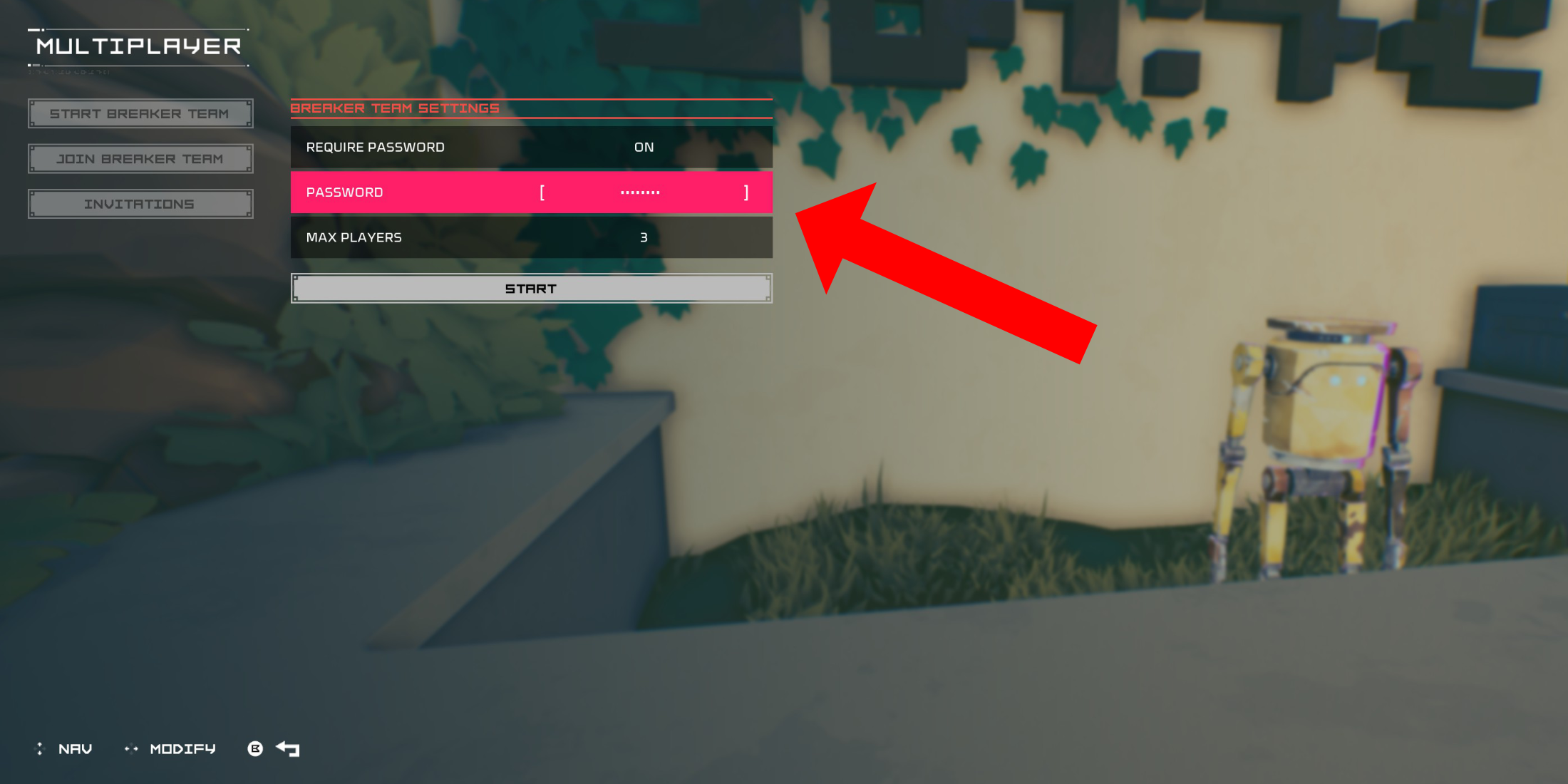 To play co-op with friends, you'll need to create a private multiplayer room. From the Cursed Outpost hub, interact with the counter to the left of Pherus Bit (near the Outpost entrance).
This opens the Multiplayer menu. Select "Create Breaker Team." Enable "Password Required" and set a password. Invite up to two friends via your platform's social features (PSN, Xbox, Steam supported). The game supports three-player teams.
Your friends will receive an invitation. If they're already in-game, it'll appear in their "Invitations" tab. Otherwise, they can use the invitation link. Alternatively, your team might appear in the "Join Breaker Team" list for direct joining. Once everyone's in, you're ready to play!
Random Online Matchmaking in Hyper Light Breaker
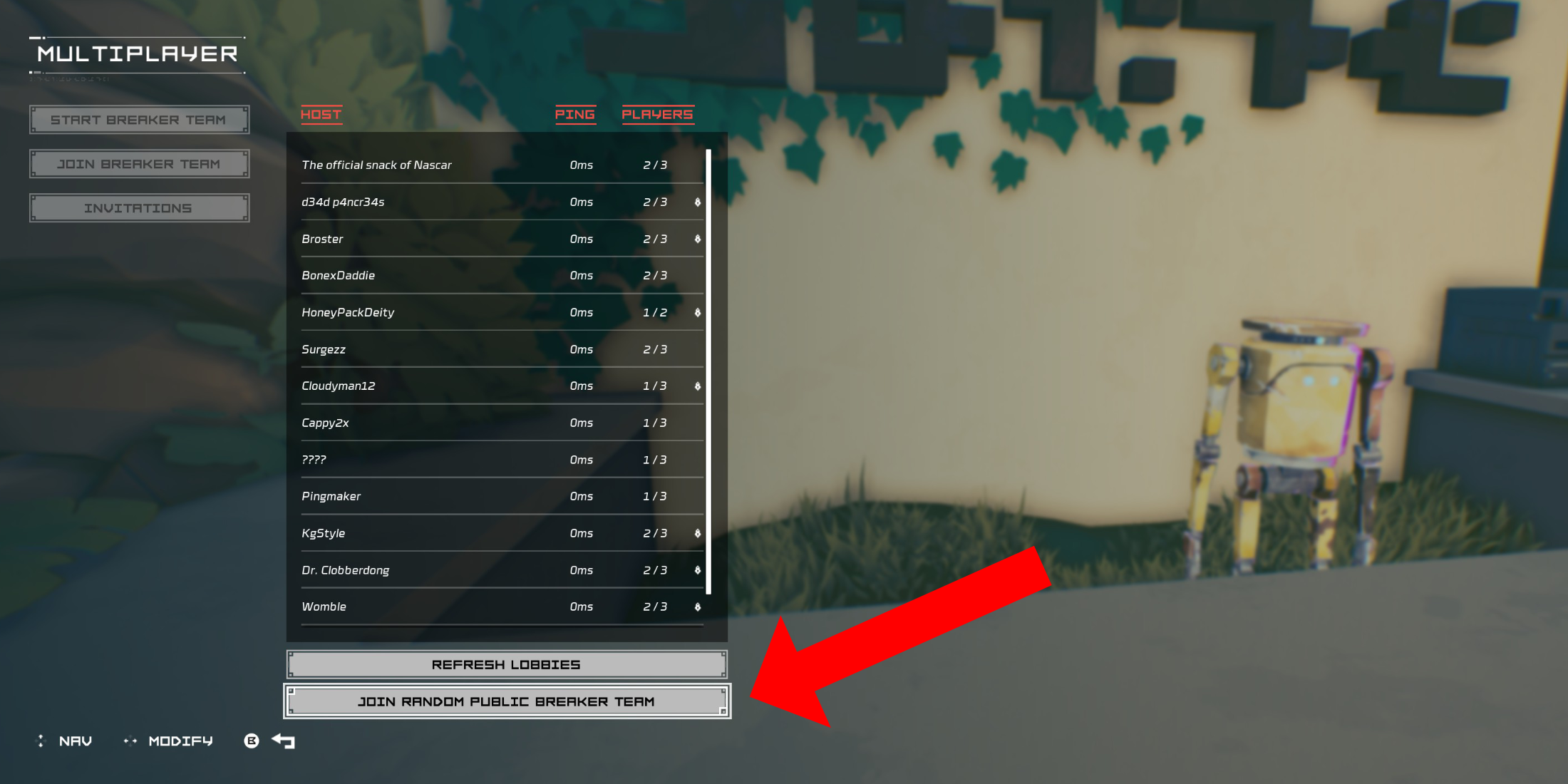 For multiplayer without friends who own the game, public groups are available. Create your own public group (without a password) or join a random one.
In the Cursed Outpost's Multiplayer menu, choose "Join Breaker Team," then scroll down and select "Join Random Public Breaker Team." The game will find an available public team and place you in it.
To leave a multiplayer session, return to the counter in the Cursed Outpost, open the Multiplayer menu, and select the "Disconnect" option (this appears only while in a session). Alternatively, simply quitting the game will also end the session.













- 1 Roblox Game Codes Updated: April 2025 May 13,2025
- 2 The Best Gaming PC of 2025: Top Prebuilt Desktops Mar 26,2025
- 3 Idle Heroes Team Compositions – January 2025 Mar 16,2025
- 4 Roblox Forsaken Characters Tier List [UPDATED] (2025) Apr 03,2025
- 5 Fortnite: Chapter 6 Season 1 NPC Locations Feb 13,2025
- 6 Tips to Conquer the Dragon Quest III: HD-2D Remake Feb 21,2025
- 7 Roblox: Warrior Cats: Ultimate Edition Codes (January 2025) Feb 12,2025
- 8 Pokémon GO Fest 2025: Fest Dates, Locations, Details Revealed Feb 13,2025





-
Unique Wallpaper Apps for Every Style
A total of 10
-
Top Beauty Trends for This Season
A total of 10
-
Top Free Shooting Games on Google Play
A total of 10











