
How to Obtain and Utilize Crab Cages in Fisch
Quick Links
When exploring the vibrant world of Fisch in Roblox, players often rely on various Rods to catch sea creatures. However, there's another cost-effective method that not only diversifies your fishing experience but also offers unique catches: Crab Cages. This guide will walk you through the process of obtaining and using Crab Cages in Fisch.
Crab Cages, as their name implies, are primarily used for catching crabs in this engaging Roblox game. However, be prepared to find more than just crabs—often, these cages will yield trash, which has become increasingly valuable since the addition of crafting mechanics.
How To Get Crab Cages In Fisch
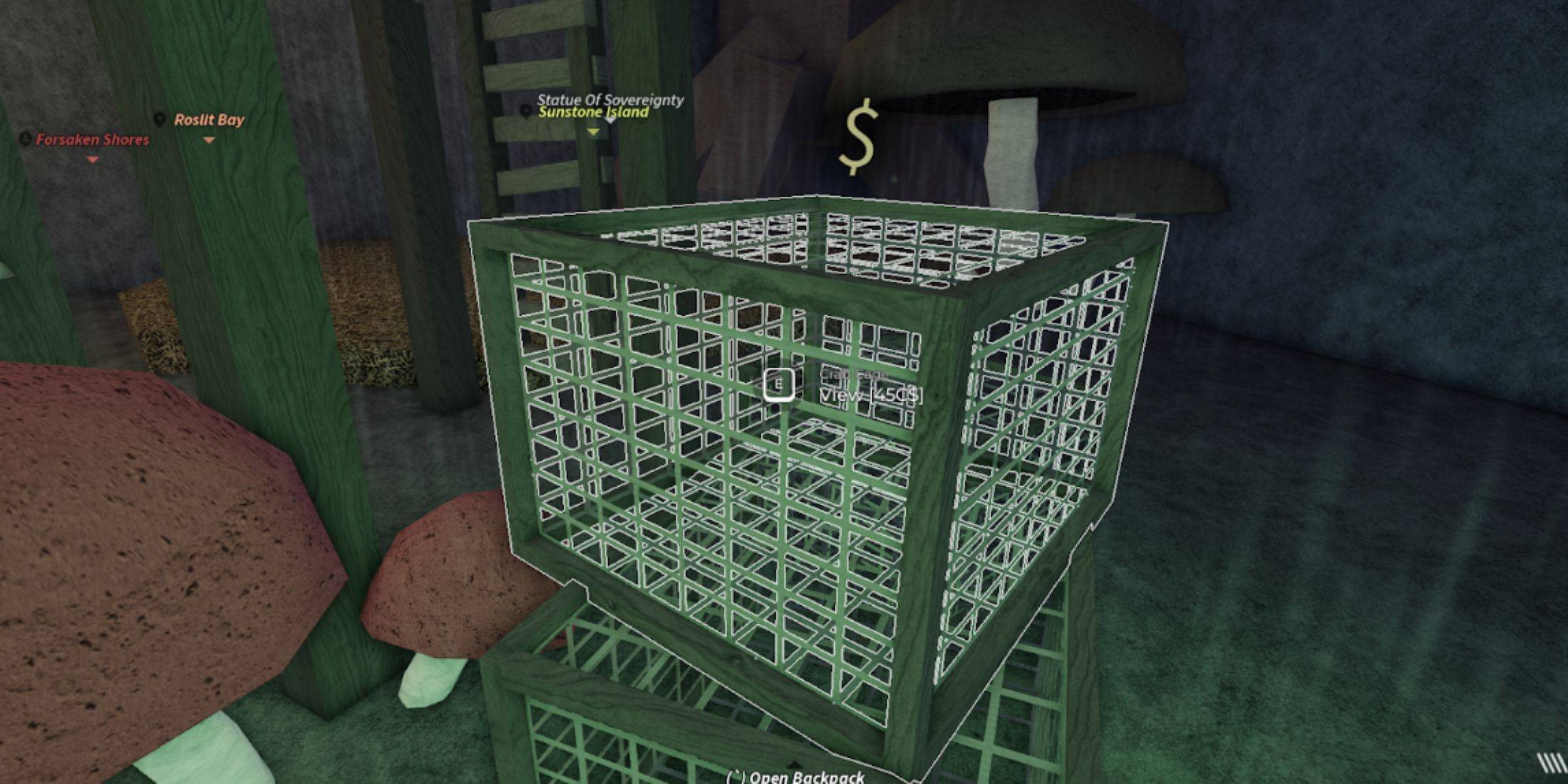 Crab Cages are scattered throughout the Fisch map, making them relatively easy to find. They are commonly available for purchase near Merchants. The notable exception is in Mushgrove Swamp, where you can locate them near the watchtower. Here's a comprehensive list of locations where you can acquire these useful items:
- Moosewood
- Sunstone Island
- Desolate Deep
- Mushgrove Swamp
- Roslit Bay
Just like Rods, Crab Cages can be found on the ground. Simply aim at them to initiate a purchase. You can also specify the quantity you wish to buy, making it convenient to stock up. Fortunately, Crab Cages in Fisch are budget-friendly, costing only 45 C$ each.
How To Use Crab Cages In Fisch
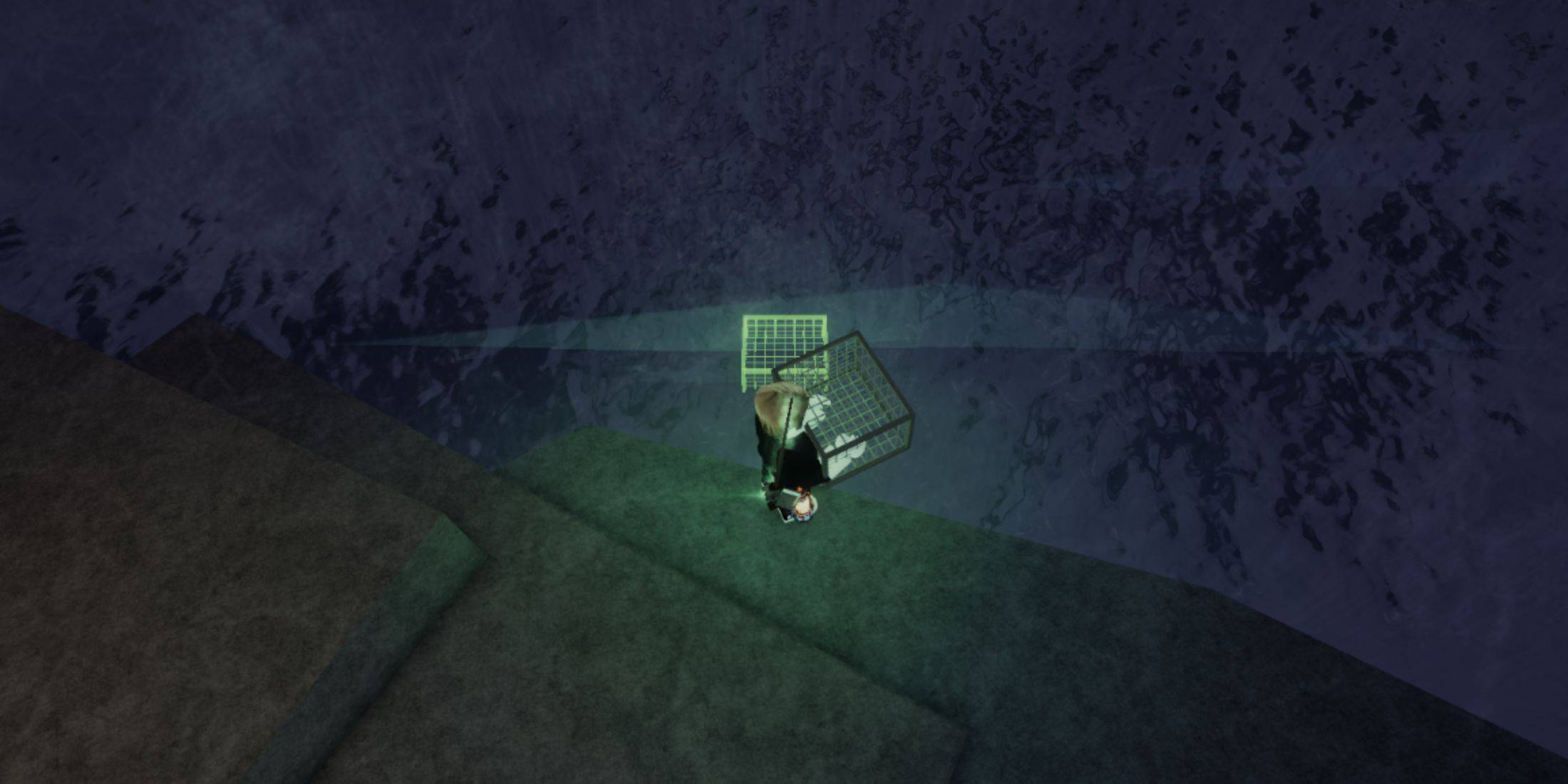 Once you've acquired your Crab Cages in Fisch, using them is straightforward. Head to any shoreline, pick up the Cages, and place them in the water. Keep in mind that a certain distance must be maintained between Crab Cages, which is indicated by a green marker on the water.
Moreover, you're not limited to using Crab Cages only on shores; you can place them anywhere there's water, provided you're standing on a solid surface. For deeper waters, consider using a low-profile vessel like a Surfboard.
After setting your Crab Cages, you'll need to wait approximately five minutes. Once they've caught something, you'll hear a distinctive sound, and the Cages will start to glow, signaling it's time to check your haul.













- 1 Roblox Game Codes Updated: April 2025 May 13,2025
- 2 The Best Gaming PC of 2025: Top Prebuilt Desktops Mar 26,2025
- 3 Idle Heroes Team Compositions – January 2025 Mar 16,2025
- 4 Roblox Forsaken Characters Tier List [UPDATED] (2025) Apr 03,2025
- 5 Roblox: Warrior Cats: Ultimate Edition Codes (January 2025) Feb 12,2025
- 6 Tips to Conquer the Dragon Quest III: HD-2D Remake Feb 21,2025
- 7 Pokémon GO Fest 2025: Fest Dates, Locations, Details Revealed Feb 13,2025
- 8 Fortnite: Chapter 6 Season 1 NPC Locations Feb 13,2025





-
Unique Wallpaper Apps for Every Style
A total of 10
-
Top Beauty Trends for This Season
A total of 10
-
Ultimate Baseball Games for Android
A total of 10











