
Kickstart your Fantasy MMO Adventures in Ragnarok Origin: ROO on your MAC Devices
Experience Ragnarok Origin: ROO Reimagined on Your Mac with BlueStacks Air
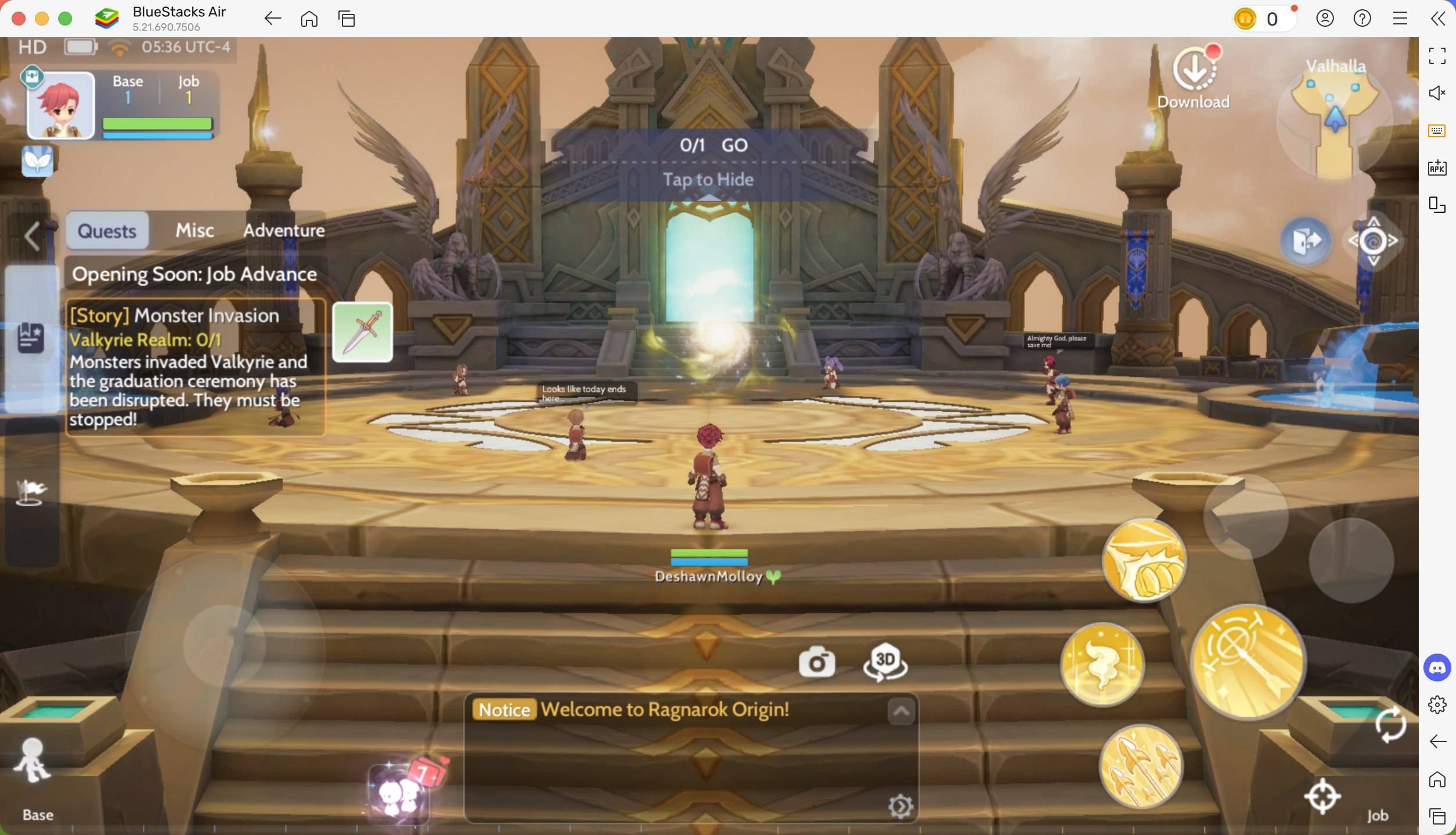
Ragnarok Origin: ROO (ROO), a revitalized version of the classic Ragnarok Online, offers enhanced visuals, modern gameplay, and a vast world of adventure. Developed by Gravity, ROO faithfully retains the original MMORPG's charm while incorporating stunning 3D graphics, smooth animations, and an immersive open world. Previously inaccessible to Mac users, ROO is now readily playable thanks to BlueStacks Air, eliminating lag and crashes. Our Macbook testing yielded surprisingly positive results!
Unleash the Anime-Style Visuals on Your Mac's Display
Playing ROO on a Mac delivers unparalleled visual fidelity. Mac's Retina displays bring the game's vibrant colors and textures to life, particularly enhancing the anime-inspired art style. The lush, detailed environments and character models are rendered with exceptional clarity and vibrancy, creating a truly immersive experience. High-resolution support ensures a crisp, sharp image. Furthermore, full-screen mode on a Mac eliminates the limited visibility often encountered on mobile devices, providing a wider field of view, especially advantageous during combat. Simply press Fn + F to switch to full-screen.
Precise Control with Keyboard and Mouse
BlueStacks Air allows for customized keyboard and mouse controls, a significant improvement over the often cumbersome touch controls of mobile gaming. Aiming and attacking with a mouse offers superior precision, while assigning hotkeys to abilities streamlines combat – crucial in ROO where loot depends on dungeon difficulty. BlueStacks provides complete keymapping customization, enabling personalized control schemes. Inventory management is also significantly easier with drag-and-drop functionality. Access pre-set controls via SHIFT + TAB, or create your own.
Uninterrupted Gameplay and Extended Play Sessions
MMORPGs like ROO demand extended playtime, often hampered by mobile devices' limited battery life and constant interruptions. Playing on a Mac eliminates these issues. Enjoy uninterrupted gameplay free from battery drain, overheating, and intrusive notifications. Focus on the game without the distractions of calls, messages, or social media pop-ups.
Installing and Playing Ragnarok Origin: ROO on BlueStacks Air
Installing BlueStacks Air on your Mac is straightforward and quick:
- Download BlueStacks Air: Visit the game's page and click "Play Ragnarok Origin: ROO on MAC" to download the installer.
- Install BlueStacks Air: Double-click
BlueStacksInstaller.pkgand follow the on-screen instructions. - Launch and Sign In: Open BlueStacks Air from your Launchpad or Applications folder and sign in with your Google account.
- Install Ragnarok Origin: ROO: Search for and install ROO from the Play Store.
- Enjoy the Game! Launch the game and explore the world!
BlueStacks Air on Mac provides a superior ROO experience. Enhanced visuals, precise controls, and uninterrupted gameplay make it the ideal way to enjoy this classic MMORPG. Upgrade your ROO experience today!












- 1 Roblox Game Codes Updated: April 2025 May 13,2025
- 2 The Best Gaming PC of 2025: Top Prebuilt Desktops Mar 26,2025
- 3 Idle Heroes Team Compositions – January 2025 Mar 16,2025
- 4 Roblox Forsaken Characters Tier List [UPDATED] (2025) Apr 03,2025
- 5 Fortnite: Chapter 6 Season 1 NPC Locations Feb 13,2025
- 6 Tips to Conquer the Dragon Quest III: HD-2D Remake Feb 21,2025
- 7 Roblox: Warrior Cats: Ultimate Edition Codes (January 2025) Feb 12,2025
- 8 Pokémon GO Fest 2025: Fest Dates, Locations, Details Revealed Feb 13,2025





-
Unique Wallpaper Apps for Every Style
A total of 10
-
Top Beauty Trends for This Season
A total of 10
-
Top Free Shooting Games on Google Play
A total of 10











