
Enhance Your Draconia Saga Experience on PC with our BlueStacks Features
Experience Draconia Saga like never before with BlueStacks! This guide unveils how BlueStacks' powerful features – Keymapping, Multi-Instance, and Macro Recorder – transform your RPG gameplay. Master these tools for superior control, efficiency, and seamless multitasking within Arcadia's enchanting world.
Mastering Keymapping for Superior Control
Precise controls are paramount in Draconia Saga's action-packed combat. BlueStacks' Keymapping Tool replaces cumbersome touchscreen controls with the precision of mouse and keyboard. This translates to superior character control, effortless evasion of attacks, and the ability to dominate opponents. The enhanced control is especially beneficial when navigating complex attack patterns and avoiding area-of-effect (AoE) damage.
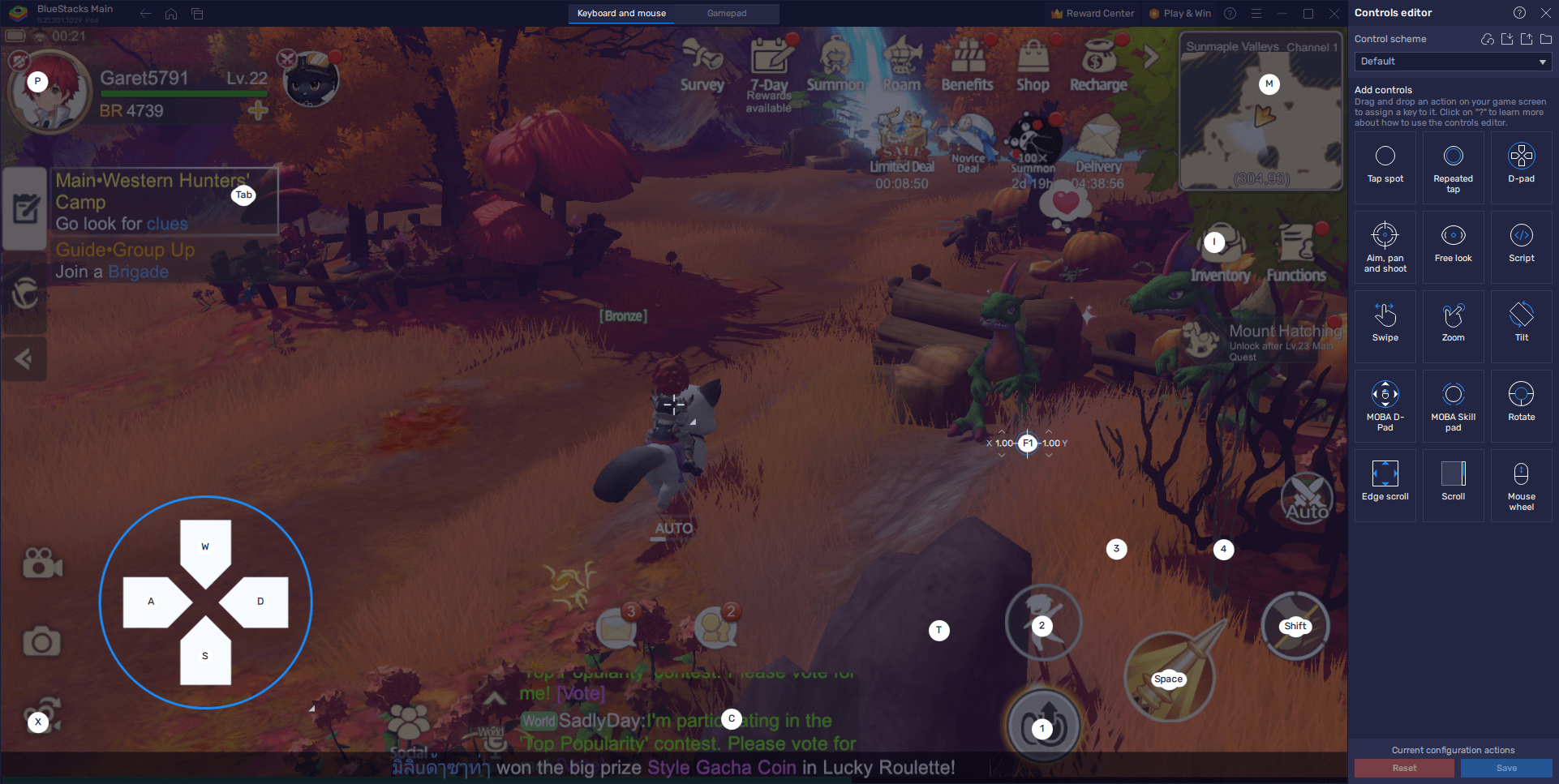
BlueStacks offers a suite of tools to elevate your Draconia Saga experience. Keymapping provides superior control, while maximizing visual settings ensures optimal graphics and frame rates. The Macro Recorder automates repetitive tasks, freeing you to focus on the game's most engaging aspects. Follow these tips for a smooth and immersive journey through Arcadia. Enjoy Draconia Saga on your PC or laptop with BlueStacks!












- 1 Roblox Game Codes Updated: April 2025 May 13,2025
- 2 The Best Gaming PC of 2025: Top Prebuilt Desktops Mar 26,2025
- 3 Idle Heroes Team Compositions – January 2025 Mar 16,2025
- 4 Roblox Forsaken Characters Tier List [UPDATED] (2025) Apr 03,2025
- 5 Fortnite: Chapter 6 Season 1 NPC Locations Feb 13,2025
- 6 Tips to Conquer the Dragon Quest III: HD-2D Remake Feb 21,2025
- 7 Roblox: Warrior Cats: Ultimate Edition Codes (January 2025) Feb 12,2025
- 8 Pokémon GO Fest 2025: Fest Dates, Locations, Details Revealed Feb 13,2025





-
Unique Wallpaper Apps for Every Style
A total of 10
-
Top Beauty Trends for This Season
A total of 10
-
Ultimate Baseball Games for Android
A total of 10











