
CoD Black Ops 6: Mastering Red Light, Green Light
In a thrilling collaboration with the iconic Netflix series Squid Game, *Call of Duty: Black Ops 6* introduces the adrenaline-pumping Red Light, Green Light game mode. Here, players must navigate the deadly camp of Young-hee, striving to be the last survivor amidst the tension and high stakes reminiscent of the series. This mode perfectly encapsulates the lethal consequences for rule-breakers, immersing players in the chilling atmosphere of the show.
The gameplay closely mirrors the show's signature challenge, requiring players to exhibit precision, impeccable timing, and strategic thinking. Below is a comprehensive guide on how to engage with this mode, along with tips to help you outlast and dominate your opponents.
How To Play Red Light, Green Light in BO6
------------------------------------------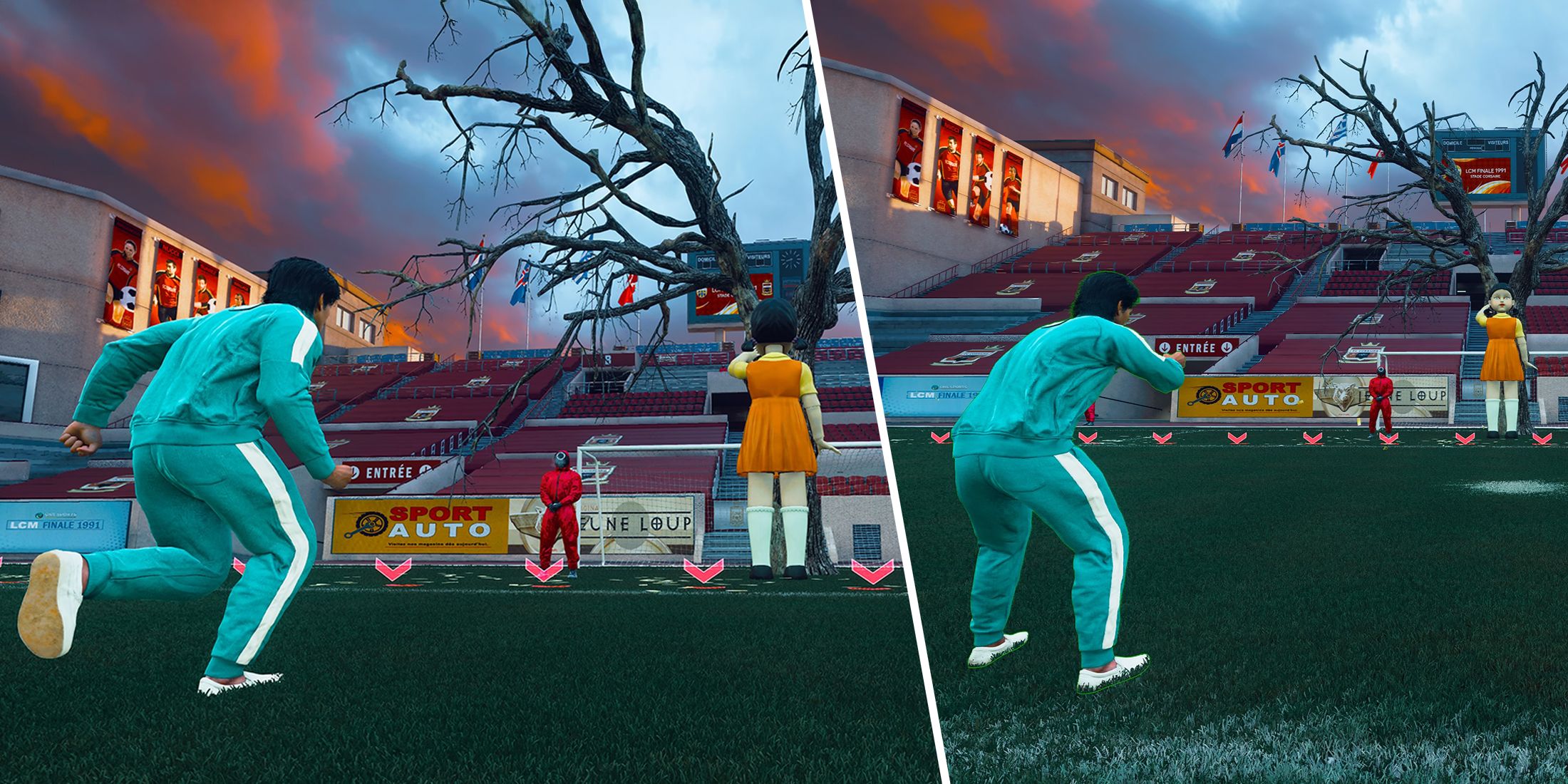
To immerse yourself in the Squid Game's Red Light, Green Light mode in *Black Ops 6*, navigate to the main menu and select the playlist specifically named after the mode. As the match kicks off, your primary objective is to survive each wave by meticulously making your way across the playing field. When Young-hee stops singing and turns around, you must halt all movement instantly. Only proceed toward the finish line when she resumes singing with her back turned to you.
The initial round is relatively straightforward, but as you progress to the second and subsequent rounds, blue squares will appear floating on the field. Collecting these squares grants you a knife, empowering you to eliminate nearby opponents and remove them from the match. This strategic element intensifies the competition in later rounds. Additionally, the mode features floating golden piggy bank milestones that provide extra XP, helping you accumulate points and unlock event rewards more efficiently.
Black Ops 6 Squid Game Red Light, Green Light Tips & Tricks
To avoid elimination by Young-hee in the Squid Game's Red Light, Green Light mode, it's crucial to remain completely still when necessary. If you're using a controller, be vigilant about stick drift—a condition where the analog stick registers movement without being touched, which could lead to your unintended movement and elimination. Also, ensure your microphone is muted, as the game detects sound as movement, and any noise can lead to your removal from the game.
To fine-tune your controller settings, navigate to *Black Ops 6*'s controller settings and locate the Dead Zone section at the bottom. Use the testing feature to adjust the settings until both sticks register at zero when untouched. Typically, optimal Dead Zone values fall between 5 and 10 or higher, depending on the condition of your controller's analog sticks.
Success in this mode demands patience. You must remain perfectly still before Young-hee stops singing, ensuring you're not caught moving (watch for the sign displayed in the center of the screen for confirmation). While it's tempting to advance as far as possible during the singing phase, pushing too close to the time limit often results in unintended movement and elimination. Staying cautious and controlled is essential for survival.
Mastering *Black Ops 6*'s Red Light, Green Light mode hinges on precise timing and meticulous preparation. Ensure your controller is in top condition, and keep your microphone muted to avoid detection. Additionally, avoid running in a straight line, as this makes you an easy target for knife-wielding opponents. With these strategies in mind, you'll be well-prepared to conquer the Squid Game-inspired challenge and emerge victorious.










- 1 Roblox Game Codes Updated: April 2025 May 13,2025
- 2 The Best Gaming PC of 2025: Top Prebuilt Desktops Mar 26,2025
- 3 Idle Heroes Team Compositions – January 2025 Mar 16,2025
- 4 Roblox Forsaken Characters Tier List [UPDATED] (2025) Apr 03,2025
- 5 Tips to Conquer the Dragon Quest III: HD-2D Remake Feb 21,2025
- 6 Roblox: Warrior Cats: Ultimate Edition Codes (January 2025) Feb 12,2025
- 7 Pokémon GO Fest 2025: Fest Dates, Locations, Details Revealed Feb 13,2025
- 8 Fortnite: Chapter 6 Season 1 NPC Locations Feb 13,2025





-
Unique Wallpaper Apps for Every Style
A total of 10
-
Top Beauty Trends for This Season
A total of 10
-
Ultimate Baseball Games for Android
A total of 10











